



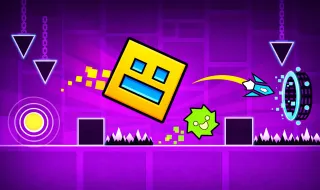
Geometry Game


KickBlock.io
Soyjak Siege




Rocket Goal


Eaglercraft




Track Dash

Arcade Glide

Granny

Sky Dart


Wurst Dash

Fortnite



Happy Room






Flappy Obby

Gorilla Tag

1v1 LOL
Geometry Game—Rhythm-Based Platformer with Creative Freedom
Enjoy the impossibility of Geometry Game, a rhythm-based running game, and enjoy a musical adventure that requires lightning-fast reflexes and absolute concentration! Overcome the impossible difficulty of each level. Focus on reaching the finish line while avoiding the obstacles on the way that can destroy your iconic cube in an instant!
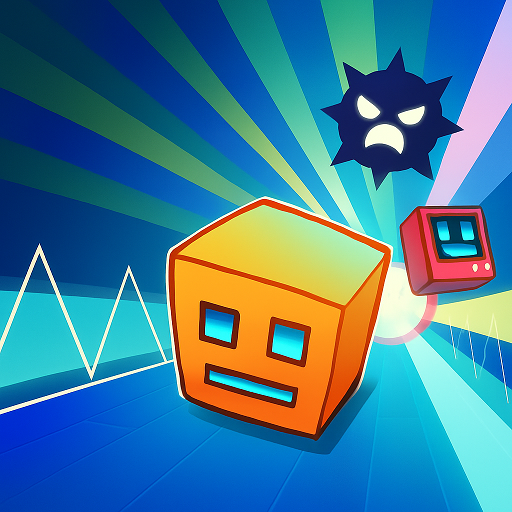
Geometry Game is an appealing platform game that centers on intense rhythm-based gameplay. This title takes inspiration from the legendary rhythm-based game while adding iconic features to make the game stand out. You will experience the pure thrill of dashing through a neon track packed with challenging geometric obstacles. Every journey across these glowing maps requires your sharpest reflexes and extreme precision. Jump in and master the rhythm-driven challenges now!
Developer and Development
Since its release on 16 July 2025, Geometry Game, also known as Dashmetry, captured the hearts of countless players worldwide immediately. The developer, 1Games.IO, consistently releases updates to enhance the overall player experience and complete the feature set. Check out several that stand out in the history update below:
- v25081604 - 16 August 2025: Offer the Endless mode with leaderboard.
- v25092505 - 25 September 2025: Add new icon kits, achievements, and more.
- v25120201 - 02 December 2025: Introduce slope platforms.
- v25120903 - 09 December 2025: Provide new editor features.
- v26011001 - 10 January 2026: Updated and fixed color triggers in the map editor.
- v26012102 - 21 January 2026: Added a default speed trigger to Endless Mode, Added Glow effects, and added new objects to the editor.
- v26021502 - 23 February 2026: Add Pulse Trigger.
- v26041607 - 16 April 2026: New UI, New item: Dash Orb
- v26042303 - 24 April 2026: Added settings options to enable or disable Transition and Color Effects.
- v26051402 - 15 May 2026: Polish the Settings UI.
The publisher continuously updates the game with new features and bug fixes based on player feedback. These improvements ensure that every user enjoys a smooth and wonderful gaming experience.
Gameplay Mechanics and Features
In Geometry Game, players control a cube to navigate through terrains in the level to the rhythm of the playing music. You have to avoid all tricky traps that will immediately end the game upon contact. Everything starts off quite simple, but you will soon encounter this game's harsh difficulty. The gameplay is further enriched through the transformation of the cube each time it jumps into a space portal. This is one of the most important mechanics of Geometry Game because each different shape corresponds to a completely unique control and the playing separately. This platformer forces players to quickly switch and adapt to different play styles, showcasing the game's distinctive style.
Three Exciting Modes
Geometry Game introduces three exhilarating modes, including the Endless, Classic, and Race modes. Every mode presents its own iconic challenges that test your platforming skills in different ways. Whether you pick any mode, each race provides you with a single attempt for every ride.
Endless Mode
The Endless mode in Geometry Game pulls you into a dashing journey across an ever-changing map. Your primary goal involves moving as far as possible to secure a high score for every ride. Along the track, the icon moves through glowing portals that shift its shape and moving patterns. These transitions constantly test your ability to maintain control under pressure. While moving, you can gather in-game shields on the track that work as virtual checkpoints to keep you alive after crashing.
Classic Mode
Inside the Classic mode, you will find official levels alongside a series of exciting community features. Players have the chance to test their skills on countless levels created by the active community. Every stage allows you to engage with energetic rhythm-based challenges and iconic soundtracks. You can also utilize the practice mode to improve your skills before attempting a full run. This mode offers a nearly infinite supply of content for dedicated fans.
Race Mode
In Geometry Game, the Race mode invites you to participate in a thrilling and engaging competition against other players. You enter a high-speed racing journey with the single goal of reaching the destination first. You have to skillfully avoid obstacles to stay alive until you reach the final destination.
Icon Transformations
Geometry Game has many icons with different shapes, and each shape will have its own way of moving. On the journey to conquer the game screen, players will encounter a transformation portal that can change the state of the icon. These gates are usually located on the path of the icon and allow them to transform from reversing gravity to changing size or changing the speed of movement. Each form comes with distinct controls and challenges:
Icon | Portal | Detail |
Cube | Green portal | The initial icon of Geometry Game which often appears at the beginning of each level with short jumps. |
Ship | Pink portal | The cube transforms into a spaceship with up-and-down wavy movements. |
Ball | Red portal | The cube transforms into a ball with the ability to jump to the opposite platform vertically while moving if the player interacts. |
UFO | Orange portal | The cube transforms into a UFO with the ability to jump in space. |
Wave | Blue portal | The cube transforms into an arrow moving in a zigzag pattern under the player's interaction. |
Robot | White portal | The cube transforms into a robot when the user holds down. The robot jumps higher or lower depending on the user's interaction. |
Spider | Purple portal | The cube transforms into a spider that can change gravity when it touches a flat platform without obstacles. |
Swing | Yellow portal | The cube transforms into a swingcopter that can move in the air in a wavy pattern. |
OTHER FABULOUS FEATURES
Geometry Game expands the fun with more exciting features that encourage creativity and long-term progression. You can do much more than just finish levels in this geometric world.
Editor Levels
Like the original game, the Geometry Game game lets you unleash your inner creativity with the Editor Level tool. Players can select the “Editor” option to express their imagination endlessly with a vast array of available objects. The system allows you to select your favorite music from the list and set exciting rules for your level. You can place hazards and decorations to match your personal artistic style perfectly. After finishing your creative experience, you can save and share your level with the community.
Inventory
Players can visit the Inventory in Geometry Game to view a massive collection of unique icons. This title allows you to spend your virtual earnings to unlock new transformation skins without any restrictions. You can style your icon for the next ride to reflect your personality and aesthetic taste. You can also unlock new color sets to further customize your geometric character.
Achievements
The achievement system provides a great way to gain new characters without spending in-game currency. Completing specific challenges rewards you with exclusive icons and items to celebrate your progress. You should check the achievement list regularly for new goals and exciting rewards.
- Madness Muse: Complete Deco Madness in Practice Mode.
- Easy Beat Blazer: Complete 5 Easy difficulty-rated levels in Normal Mode.
- Ironbound Legend: Complete 10 Hard Levels in Normal Mode.
- Immortal Forgemaster: Complete 15 Harder levels in Normal Mode.
- And many more others!
Leaderboard
Geometry Game introduces a leaderboard option that displays the names of players with the highest scores. You can view the rankings of millions of players worldwide in both Endless and Creator modes. This rank board updates frequently to show Today, Weekly, Monthly, and All-Time statistics. High scores prove your dominance in the rhythm-platformer world to the entire community.
How to Get Better at Geometry Game
Some interesting tips for players who want to conquer Geometry Game:
- Start with main levels. Although there is a lot of user-generated content to explore, starting with the main levels is the best introduction. It allows you to gradually face increasing challenges as you discover different cubes and portals along the way.
- Skip the secret coins to complete the level. Remember, these coins are located in areas off the standard path, increasing the difficulty.
- Use practice mode. With practice mode, players will be revived at the nearest point instead of having to start over from the beginning. Playing in practice mode will help you memorize the map and obstacles along the way.
- Focus on the rhythm. Focusing on the rhythm of the song will help you anticipate the appearance of obstacles.
- Appropriate levels. Play levels that match your skill level until you feel ready to move on to more difficult levels. Most importantly, be patient. Improving takes time—a lot of time. So don't worry if it takes you a while to get better.
- Don't try to beat too many levels at once. Focus on beating the levels you enjoy the most and concentrate on one or two levels at a time.