



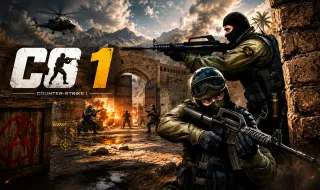
CS 1














About CS 1
CS 1 is a fast-paced first-person shooter that blends tactical combat, team-based gameplay, and competitive esports action. Inspired by popular FPS titles such as Counter-Strike, Valorant, and Standoff, the game challenges players to engage in intense battles where quick reflexes, precise aim, and smart decision-making are essential for success.
Whether you're an experienced shooter fan or new to the genre, CS 1 offers an exciting competitive experience with multiple maps, weapon options, character specializations, and a rewarding progression system.
Dominate the Battlefield
Victory in CS 1 requires more than accurate shooting. Successful players must combine sharp aim with strategic positioning, effective teamwork, and strong battlefield awareness.
As you progress, you will:
- Battle across a variety of combat arenas.
- Face increasingly skilled opponents.
- Unlock and switch between different weapons and specializations.
- Improve your accuracy and tactical decision-making.
- Develop strategies to outmaneuver enemy teams.
- Climb the competitive ranking ladder.
Mastering map layouts, weapon handling, and team coordination will give you a significant advantage during intense firefights.
Key Features
- Fast-paced FPS gameplay inspired by competitive esports shooters.
- Multiple weapons and character specializations.
- Tactical combat that rewards strategy and teamwork.
- Competitive ranking and progression systems.
- Diverse maps and challenging battle environments.
- Smooth controls optimized for both PC and mobile devices.
- Accessible gameplay with plenty of depth for skilled players.
Controls
PC Controls
- WASD – Move your character.
- Left Shift – Sprint.
- Space – Jump.
- C – Crouch.
- Q – Lean left.
- E – Lean right.
- Left Mouse Button – Fire your weapon.
- Right Mouse Button – Aim down sights.
- R – Reload.
- 1, 2, 3, 4 – Switch weapons.
- X – Select the next specialization.
- Z – Select the previous specialization.
- Tab – View the scoreboard.
- Esc – Open the game menu.
Mobile and Tablet Controls
- Left Joystick – Move around the battlefield.
- Hold the Joystick Forward – Run.
- Jump Button – Jump over obstacles and reach elevated positions.
- Crouch Button – Take cover and reduce your visibility.
- Fire Button – Shoot at enemies.
- Aim Button – Improve aiming precision.
- Reload Button – Reload your current weapon.
- Weapon Arrows – Switch between weapons and specializations.
- Pause Button – Open the menu and view match statistics.
Tips for New Players
- Focus on accuracy rather than spraying bullets.
- Use leaning and crouching to minimize exposure during firefights.
- Reload only when you are safely behind cover.
- Learn the strengths and weaknesses of each weapon.
- Stay mobile to avoid becoming an easy target.
- Practice regularly to improve your reaction time and aim.
More Action Games
