



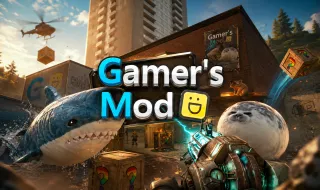
Gamer's Mod
Happy Room

Egging On


Rotate Rush





Birdie Bop


Mad Stick

Dancepool


Pogo Masters

Flappy Obby

Duo Defense
Gamer's Mod is a physics sandbox where you build, destroy, survive zombie outbreaks, escape nextbots, customize vehicles, and unleash limitless creativity.
A World of Unlimited Creativity
Gamer's Mod is an advanced physics-based sandbox game that gives players complete freedom to create, experiment, and cause chaos in an open environment. Inspired by some of the most popular sandbox games ever made, it replaces traditional objectives with endless possibilities.
Armed with powerful tools, realistic physics, and a vast collection of props, vehicles, weapons, and characters, you can build secure bunkers, design complex machines, customize vehicles, or trigger spectacular chain reactions. The choice is entirely yours.
Build, Create, and Explore
The heart of Gamer's Mod is its open-ended gameplay. Players can spawn almost anything into the world and interact with it using a variety of tools and weapons.
You can:
- Build houses, fortresses, and secret bunkers.
- Create and customize unique vehicles.
- Design mechanical systems and creative contraptions.
- Test weapons, explosives, and physics interactions.
- Spawn enemies and create custom challenges.
- Explore maps and invent your own scenarios.
Because there are no fixed goals, every session offers a different experience driven by your imagination.
More Than a Sandbox
While the sandbox mode provides unlimited creative freedom, Gamer's Mod also features alternative modes that offer structured challenges.
- Nextbot Escape: Outrun relentless nextbots as they pursue you across the map. Survival depends on quick reflexes, smart movement, and environmental awareness.
- Zombie Survival: Face waves of undead enemies while defending your base and managing resources. Use your creations strategically to stay alive as the challenge intensifies.
These modes add variety while taking full advantage of the game's dynamic physics system.
Key Features
- Open-ended sandbox gameplay with complete freedom.
- Realistic physics and interactive environments.
- Extensive collection of props, weapons, vehicles, and characters.
- Vehicle building and customization.
- Multiple game modes, including Sandbox, Nextbot Escape, and Zombie Survival.
- Dynamic destruction and explosive action.
- Active community support and player interaction.
- High replay value through creativity and experimentation.
Controls
- Q: Open the spawn menu.
- C: Open character settings or change the camera view while driving a vehicle.
- Z: Remove the most recently placed object.
- V: Activate flight mode.
- E: Interact with objects and the environment.
- R: Reload your current weapon.
- F: Turn the flashlight on or off.
- X: Crouch.
- Mouse Wheel / 1–6: Switch between available weapons.
- ESC / ~ : Pause the game and open the menu.
Tips for New Players
- Explore the spawn menu to discover available tools and objects.
- Use flight mode to inspect large creations from above.
- Combine props and mechanisms to build unique machines.
- Test vehicles in open areas before making major modifications.
- Save successful creations for future improvements.
- Try the survival modes when you want a break from free-form building.
- Experiment freely—unexpected results are often the most entertaining part of the game.
